
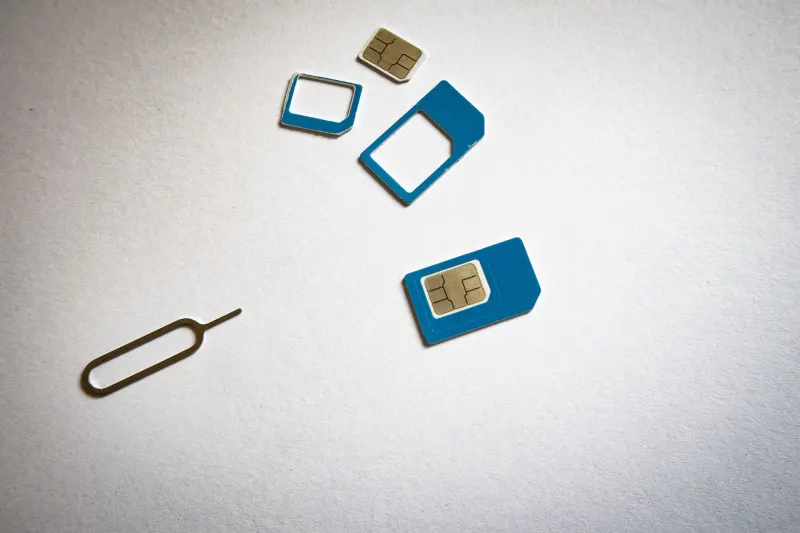
Modern electronic devices excel at alerting users when something has gone awry, making it easier to diagnose potential hardware or software problems. When your mobile device displays a notification stating that there is no service or no SIM card installed, it can trigger immediate concern regarding your device's core functionality. Because a SIM card securely authorizes the connection between your device and your mobile provider to allow phone calls and text messages, losing this link cuts off vital communication capabilities. Fixing these errors often requires a mix of diagnostic detective work through your phone settings and physical adjustments.
A badly seated SIM card is a frequent culprit behind sudden drops in service while leaving the rest of the device fully operational. This physical misalignment is typically caused by dropping the phone or by the card not being properly seated during initial installation, and can be resolved by removing and reinserting the component using a SIM ejector tool, paper clip, or safety pin. Beyond physical hardware issues, software-level glitches can trigger similar warning messages. Toggling airplane mode on and off or performing a network reset through your phone settings can frequently clear up these connectivity hangups. A network reset will not affect your personal files, though you will need to log back into your Wi-Fi networks afterward.
Key takeaways
- A SIM card securely authorizes the connection between your device and your mobile provider for calls and texts.
- Physical misalignments from drops can unseat your SIM card, requiring a tool to remove and reinsert it.
- Toggling airplane mode or performing a network reset can resolve software-level connectivity problems.
- External factors like carrier outages, inactive accounts, or poor local coverage can also cause no service errors.
Checking external factors and network settings
Sometimes the root cause of a missing signal has nothing to do with your physical device or software settings. Local infrastructure issues, such as a cellphone tower being blocked by obstacles or simply being in an area with limited coverage, can completely disrupt your connection. Moving to a different location to find an area with better service can immediately eliminate regional dead zones as the source of the problem. It is equally important to rule out a wider carrier outage by checking if friends or family members using the same provider are experiencing identical issues.
Account status and digital SIM configurations also warrant close inspection when troubleshooting mobile network drops. An inactive mobile account due to a missed bill payment will cause your SIM card to stop connecting to the carrier network entirely. Meanwhile, users relying on digital eSIM cards during international travel often encounter unique routing hurdles that can frequently be resolved by toggling on data roaming within device settings. On iPhones, eSIM controls reside under the Cellular or Mobile Data menu, whereas Android devices manage these options inside the SIM Manager.







Comments