
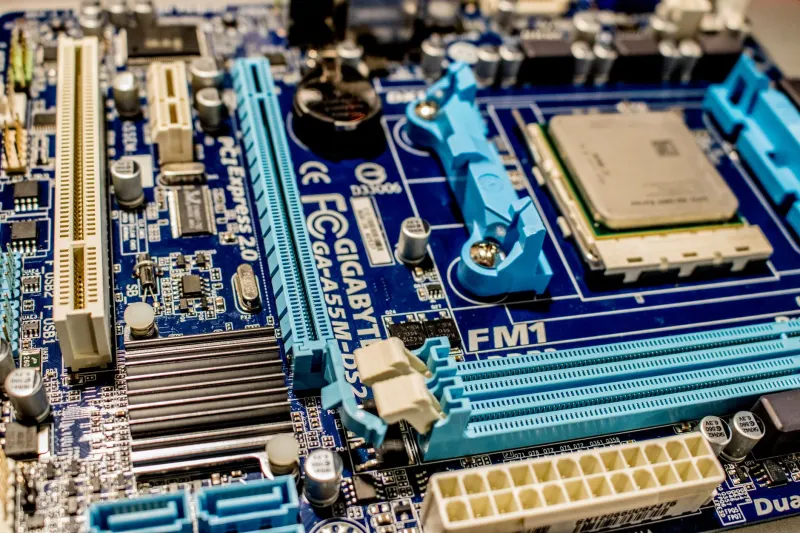
Constructing a custom desktop computer remains a deeply satisfying project, heavily popularized across social media and content creation platforms. While traditional mid-tower and full-tower builds offer plenty of space for adjustments and error, venturing into the niche market of mini PCs introduces a completely different set of engineering hurdles. Smaller enclosures require a streamlined approach with virtually no room for cosmetic frills, turning basic considerations like adequate airflow and graphics card clearance into genuine design constraints.
Mini-ITX and microATX enclosures form the physical foundation for these compact computers. Although smaller enclosures might suggest lower price points to casual observers, specialized Mini-ITX designs featuring unique aesthetic touches can escalate total costs unexpectedly. Prebuilt commercial machines such as Apple's Mac mini or certain models of the ASUS NUC typically rely on system-on-a-chip architecture, combining the central processing unit and graphics processing unit alongside soldered RAM directly onto the motherboard. While custom builders cannot easily replicate that exact factory integration, commercial cases achieve a somewhat similar spatial efficiency using off-the-shelf components.
Key takeaways
- Mini PC builds typically utilize Mini-ITX or microATX cases that offer very little wiggle room for frills.
- Smaller cases restrict internal airflow and limit component dimensions, particularly for discrete GPUs.
- Specialized small form factor power supplies, motherboards, and coolers can drive up overall build costs.
- Unlike standard towers, mini PCs demand a strict, predetermined sequence of installation due to clearance limits.
Navigating hardware compatibility and thermal constraints
Selecting internal components for a compact build demands a much more economical and rigid strategy than a standard tower. Mini-ITX cases generally accept only Mini-ITX motherboards, whereas microATX cases accommodate both Mini-ITX and microATX boards due to their slightly larger dimensions on average. Thermal management also emerges as an immediate concern during the planning phase. With internal components packed tightly together, hardware has significantly less room to breathe, a challenge that intensifies when integrating a discrete graphics card rather than an APU that merges CPU and GPU tasks.
Component pricing adds another layer of complexity to the planning process. Small form factor power supplies, specialized motherboards, compact CPU coolers, and appropriately sized GPUs frequently carry steep price tags. These specialized parts can contribute a surprising amount to the final machine price, sometimes making full-sized ATX builds a more financially attractive option for builders looking to maximize their budget.
The physical challenge of assembly
Sourcing uniquely sized hardware is only part of the challenge, as the physical assembly demands far greater patience and precision than working with standard ATX hardware. Standard desktop towers allow builders to install components in nearly any preferred sequence without major obstacles. Conversely, compact enclosures require a highly specific installation order to successfully manage tight clearances and restricted internal volumes.
Careful planning using official component specifications or comparison tools like PCPartPicker remains essential to ensure every piece fits securely inside the restricted enclosure. Despite these hurdles, builders who successfully navigate the physical limitations and thermal challenges are rewarded with a compact system that packs a powerful punch in a small package.





Comments