

Although pure USB-C and Thunderbolt video connections are gaining traction, DisplayPort continues to rule the day for many Mac and Windows PCs. This ongoing dominance is likely due as much to production costs as legacy compatibility. To equal the bandwidth of the best DisplayPort technology, companies must use USB 4 v2 or Thunderbolt 5. Whether those alternatives are inherently more expensive to manufacture or not, people also tend to expect power delivery through USB-C and Thunderbolt, whereas DisplayPort can focus exclusively on video.
A major concern with any video format is how far a clean signal can travel without degradation. With HDMI, connections can grow sketchy past 25 feet, or even far earlier. When a cable is not up to the task, users experience problems such as artifacts, flickering, or complete connection dropouts. Alternatively, a display might automatically scale back its resolutions and refresh rates. With DisplayPort, the limitations can be quite sharp if the goal is to maintain maximum visual quality.
Key takeaways
- Standard passive copper DisplayPort cables remain solid up to 6 feet in length.
- At around 10 feet, resolution and refresh rate compromises begin to impact performance.
- Active copper cables can extend the practical range between 15 and 30 feet.
- Fiber optic cables can run up to 100 feet but come at a much higher cost.
The standard copper-based DisplayPort cable should be completely reliable up to 6 feet. At this length, the cable is fully capable of displaying any resolution, color, or refresh rate combination you could realistically request, such as 4K HDR at 144Hz. Users should not experience artifacts or other issues with this setup, barring physical damage or severe electrical interference. However, by about 10 feet, resolution and refresh compromises begin to enter the picture. High 4K refresh rates may become limited, or resolution might be forced to drop down to 1080p or 1440p. Moving toward 15 feet, a stable 4K signal is entirely gone, and even lower resolutions might be capped at slower refresh rates.
Fortunately, passive copper is not the absolute limit of what DisplayPort can achieve. Users who switch to active copper cables that actively boost signal strength can see their practical range extend to between 15 and 30 feet. An even better alternative is fiber optic cables, which are capable of running up to 100 feet without signal loss. Naturally, buyers must pay for the privilege. While a 10-foot passive copper cable rated for DisplayPort 2.1 can cost as little as $10, a 15-foot fiber optic cable can easily cost north of $50. While that fiber optic option should be exceptionally reliable, it is likely not worth the investment outside of corporate environments.
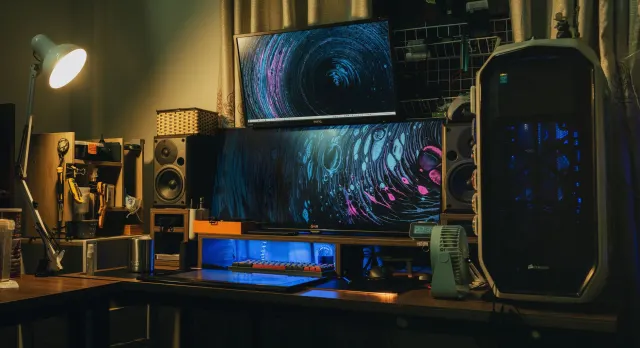
Most everyday users should simply stick with passive copper DisplayPort cables measuring 6 feet or less. Although active copper and fiber optic alternatives provide reliable performance at greater distances, there is usually no need for them because DisplayPort is almost exclusively associated with desktop monitors. If a monitor sits directly on a desk, it is almost certainly less than 6 feet away from the host computer. In cases where users daisy-chain monitors via Multi-Stream Transport, keeping cables as short as possible is essential, since combining two 3-foot cables immediately reaches the 6-foot threshold.





Comments