
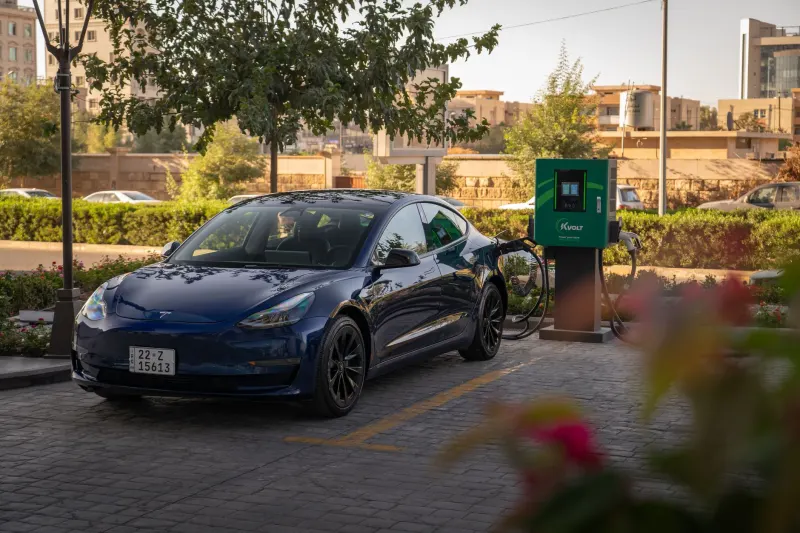
Drivers who spot a tiny blue snowflake icon next to their Tesla battery indicator are not receiving a holiday Easter egg or a weather report about icy roads ahead. Instead, the indicator signals that the electric vehicle's high-voltage battery is feeling the chill of cold weather. When temperatures drop low enough to trigger the blue snowflake light, a portion of the battery's stored energy temporarily becomes unavailable for use. Tesla clearly marks this temporarily disabled energy in blue directly on the battery meter, removing the guesswork regarding remaining vehicle range.
The restricted energy is not permanently lost and becomes fully usable again once the battery warms up during normal driving. However, even after the battery warms to standard operating temperatures, winter weather still impacts overall driving range. Operating cabin climate controls to keep the interior warm, combined with cold weather driving terrain, demands more power than usual compared to standard gasoline vehicles.
Key takeaways
- The blue snowflake icon indicates a cold battery, not an icy road warning or holiday Easter egg.
- Cold temperatures temporarily restrict a portion of the battery's energy, which is shown in blue on the meter.
- Regenerative braking feels much weaker in cold conditions because the battery cannot absorb energy normally.
- Preconditioning the battery using the Tesla app or touchscreen helps clear the snowflake icon and warms the vehicle.
How Cold Weather Changes Tesla Braking and Performance
Beyond reduced driving range, the arrival of the blue snowflake changes how a Tesla handles on the road, affecting charging speeds and vehicle acceleration. Regenerative braking is particularly impacted when temperatures drop. Because a cold battery cannot absorb energy the same way it does under normal conditions, the expected regenerative deceleration feels much weaker when approaching a red light or stop sign. Some Model 3 variants include a setting to compensate for this limitation. Drivers can navigate to Controls and then Dynamics to find the option to apply mechanical brakes when regenerative braking is limited, which uses standard physical brakes to mimic full regeneration depending on the specific model and software version. Additionally, a separate icon resembling a broken green brake disc with an electricity symbol may appear to warn drivers when regenerative braking is limited, meaning drivers should keep their foot ready to press the physical brake pedal.
Clearing the Snowflake and Preparing Your EV
Tesla does not provide a manual switch to turn off the blue snowflake icon, meaning it only disappears once the high-voltage battery warms up through driving or charging. To avoid starting the day with reduced range and performance, owners can set up battery preconditioning using the Schedule menu on the car touchscreen or through the mobile app. Remotely activating cabin climate controls helps warm the battery. Drivers should ideally keep the electric vehicle plugged into a power source while preconditioning so the battery receives continuous power rather than draining available charge. Furthermore, drivers planning to use a Tesla Supercharger should set the charger as their navigation destination, which automatically warms the battery in advance for faster charging with fewer delays. While Tesla does not specify the exact temperature threshold that triggers the snowflake, the automaker recommends activating vehicle climate settings at least thirty to forty-five minutes before departure.






Comments