
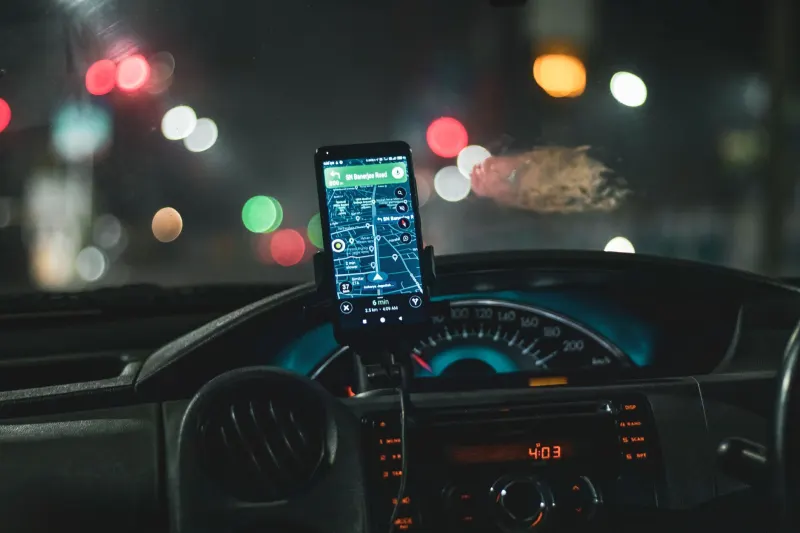
Most drivers utilize Android Auto for only a handful of basic tasks, relying on tools like Google Maps for turn-by-turn directions and Spotify for music playback. However, the platform features a much deeper compatible app library that extends well beyond standard navigation and audio streaming. Drivers typically stick to the basics and do not dive into the developer menu or make major changes to how the interface operates, missing out on options that can make waiting in a parking lot or commuting far more productive. Exploring these lesser-known options can genuinely change a daily commute by adding layers of communication, efficiency, and trip planning directly to the car infotainment display.
Key takeaways
- Android Auto supports corporate meeting tools like Google Meet, Zoom, Webex, and Microsoft Teams in audio-only mode.
- Fuelio and PlugShare help drivers track fuel costs and find EV charging stations with crowd-sourced real-time feedback.
- HERE WeGo offers robust offline navigation, allowing users to download maps for entire states or countries to save data.
- Popular messaging platforms like WhatsApp, Signal, and Facebook Messenger let drivers hear and reply to texts using voice commands.
Handling work calls and meetings from the driver seat
Android Auto comes with extra functionality for those in the corporate world, as several popular communication apps feature support for meetings and calls. Google Meet leads the way because it fits naturally into corporate scheduling, allowing users to view upcoming meetings on the car display and join a call with a single tap in audio-only mode so eyes stay on the road. Zoom, Webex by Cisco, and Microsoft Teams also function on the platform, providing opportunities to join video conferences safely while keeping up with a busy schedule. Microsoft Teams takes integration a step further by letting users check their calendar and place calls directly from the car display.
Despite this convenience, certain employers require corporate apps like Google Meet and Microsoft Teams to run inside an isolated Android Work Profile. In such situations, Android Auto may block calendar sync or prevent the app from appearing on the screen entirely. Fortunately, a Work Mode is currently in development for Android Auto, which may soon make it easier to access these locked-out professional applications during a commute.
Tracking fuel expenses and locating EV chargers
Managing travel costs is simplified with dedicated utility apps. Fuelio helps drivers find places to put gas in the car without breaking the bank by tracking fill-ups, odometer readings, and fuel prices to calculate average fuel economy and cost per mile over time. Drivers can use various filters to display gas stations updated within the past day or those most appreciated by other users. For electric vehicle owners, PlugShare provides a free, crowd-sourced map to locate the nearest charging stations along a route. Its real strength lies in the community behind it, as drivers leave real-time feedback, upload photos of charger layouts, report broken plugs, and check in after charging.
PlugShare lets users filter by exact plug type, charging speed, and network, while also checking nearby amenities like restrooms or coffee shops. It automatically recommends charging stops along the way based on a specific EV model's range to ease range anxiety. The only downside is that data depends entirely on contributors, meaning stations in less-traveled areas may have fewer recent reports.
Navigating offline and boosting messaging capabilities
Data costs can escalate quickly, especially when traveling abroad where expenses rise significantly. HERE WeGo offers offline navigation through Android Auto, letting users download maps for entire countries or specific US states to avoid data plan concerns. The application flags parking spots and rest areas along the route, and lets drivers avoid specific obstacles like tunnels and U-turns, while also offering visual references such as turning at a traffic light or a landmark.
Beyond navigation, Android Auto handles messaging platforms like WhatsApp, Signal, Facebook Messenger, Microsoft Teams, and Google Chat by reading messages aloud. Gemini or the system then asks if the user wants to reply, typing out spoken words using voice commands. Adding these apps is straightforward: users simply install them from the Google Play Store on their phone, and compatible apps automatically appear on the Android Auto launcher.







Comments