
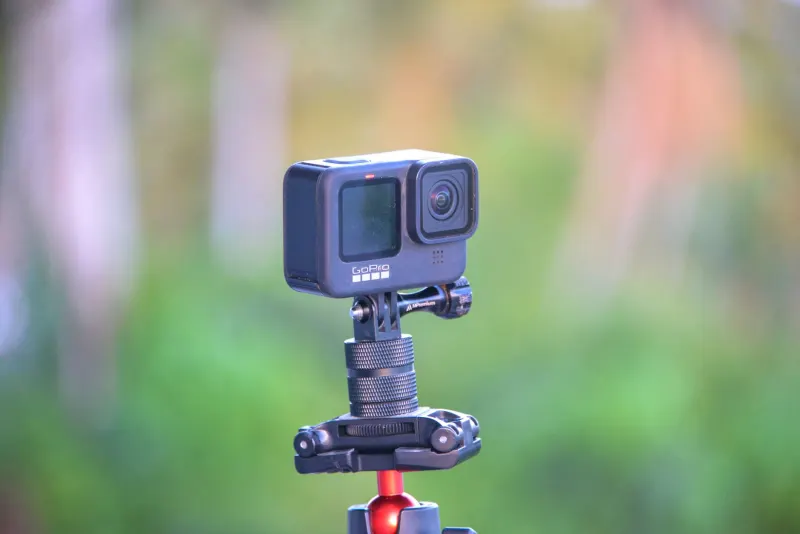
GoPro action cameras are engineered to endure harsh and challenging conditions, yet many units eventually fall victim to the standard technology upgrade cycle. When users purchase newer models, their older devices frequently get relegated to a dark drawer to gather dust. While attempting to sell a used action camera remains an option, older hardware paired with a degraded battery typically commands very little resale value on the secondary market. Fortunately, these retired devices still feature capable sensors ranging from 1080p up to 4K resolution, meaning they retain plenty of utility for alternative tasks where battery longevity is not a critical constraint.
Because older GoPro units can remain continuously plugged into a power source, users can bypass battery wear issues entirely. Two of the most practical applications for an aging action camera involve setting it up as an automotive dash cam or pairing it with a computer to serve as a superior video conferencing webcam. Both configurations require minimal effort and spare hardware components that many tech enthusiasts already own.
Key takeaways
- Older GoPro cameras feature 1080p or 4K sensors that perform well as webcams or dash cams.
- A dash cam setup requires a suction-cup mount, a continuous USB power connection, and a quality 64GB microSD card.
- GoPro Hero 8 Black and newer models feature a native webcam mode using the official desktop app.
- Older models from the Hero 4 through Hero 7 Black require a micro-HDMI cable and a USB capture device like the Cam Link 4K.
Turning Your Old GoPro Into a Dash Cam
Transforming a retired action camera into a functional dash cam is straightforward because the hardware already operates similarly to automotive recording devices. To set up the system, attach the camera to a suction-cup mount secured on the vehicle's windshield or dashboard, plug it into a vehicle USB port or dedicated charger, and angle the lens for an unobstructed view of the road ahead. Proper configuration is essential to ensure clear evidence capture. Users should adjust the resolution settings to a minimum of 1080p at 30 frames per second or higher.
Enabling loop recording is another critical step, with available cycles set to 20, 60, or 120 minutes so that older files automatically delete to make room for new footage. Alternatively, operators can configure the storage to use maximum capacity before overwriting files, noting that a reliable 64GB microSD card easily stores hours of continuous 1080p video. Drivers must remember to manually stop recording immediately following an accident to prevent the loop feature from overwriting crucial evidence, and press the physical shutter button when starting the car. For a more automated experience, models starting from the Hero 7 Black support an experimental GoPro Labs feature that automatically boots up and initiates recording the moment the unit detects incoming USB power.
Using Your GoPro as a Computer Webcam
For individuals who do not require a dash cam, repurposing the hardware for video calls provides an immediate upgrade over standard laptop cameras. Many portable computers still rely on low-resolution internal webcams that struggle significantly in dim or low-light office environments, whereas an older GoPro easily outperforms them. Users with a GoPro Hero 8 Black or any newer edition can simply download the official GoPro Webcam application onto their computer and link the hardware via a standard USB connection. The device will then populate as an available webcam source inside communication platforms like Zoom or FaceTime, while drawing continuous power over the USB cable to neutralize battery constraints.
Owners of legacy hardware, including the GoPro Hero 4, 5, 6, and 7 Black, can still achieve identical functionality with slightly more setup. These specific versions feature micro-HDMI output ports that connect directly into a USB video capture device, such as the Elgato Cam Link 4K which retails for approximately $100. These capture adapters trick the host computer into recognizing the action camera as a standard webcam peripheral. However, users utilizing older models with degraded batteries may need to supply a separate, constant power source and should mount the camera on a mini tripod while pairing it with a separate dedicated microphone for optimal audio clarity during video conferences.




Comments