
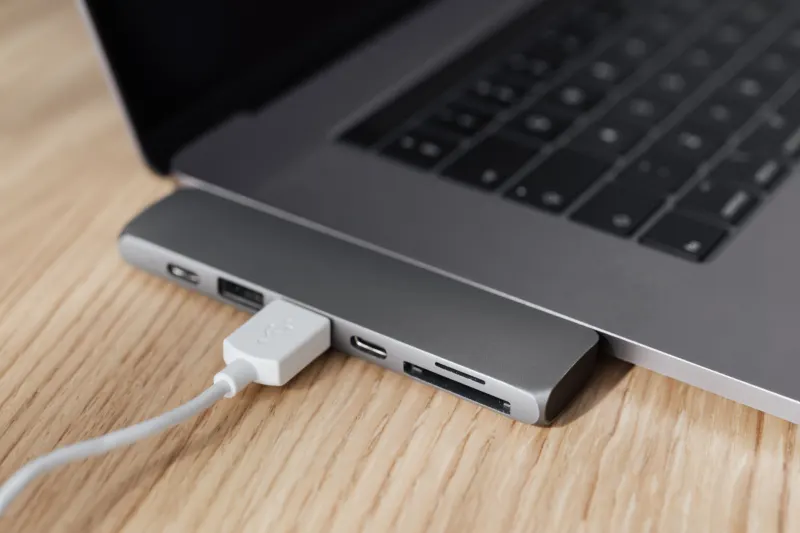
Computer users frequently encounter various colored USB slots across motherboards and computer cases without fully understanding their specific technical capabilities. After decades of hardware evolution, understanding these color codes helps maximize connection speeds and power delivery for everyday peripherals. When a teal USB port appears on a device, it serves a very specific technical purpose regarding transfer speeds and power output that can significantly improve workflow efficiency and everyday peripheral usage.
Finding a teal USB port on a computer usually indicates a connection designated for USB 3.1 Gen 2 or above. Standardized by the USB Implementers Forum after its introduction in 2013, USB 3.1 focuses heavily on high data transfer speeds and increased power delivery to connected devices. While manufacturers are not strictly bound to this color convention, teal has become a common marker for these high-performance connections, though some red ports feature USB 3.2 capabilities reaching speeds of 20 Gbps.
Key takeaways
- Teal USB ports generally designate USB 3.1 Gen 2 connections or higher.
- These ports can reach speeds upward of 10 Gbps for fast data transfers.
- Teal ports offer increased power output suitable for charging phones and tablets.
- They remain backward compatible with USB 3.0 and older USB-A devices.
Verifying port speeds and backward compatibility
Users who are unsure of their exact port speeds can easily verify specifications through the Device Manager on Windows or the System Report on macOS. Even though teal ports favor high-speed operations, they maintain backward compatibility with USB 3.0 and prior generations. Plugging older USB-A devices into a teal slot works without issue, though it will not yield the maximum speed benefits inherent to the newer hardware standard.
Although teal-colored versions do exist for higher tiers, they can sometimes be more uncommon depending on the specific motherboard or case manufacturer. The color itself is not a rigid universal rule across all hardware builds, which makes checking software utilities a reliable fallback when investigating maximum hardware throughput across different devices.
Performance advantages for file transfers and charging
Utilizing a teal USB port provides distinct advantages for intensive computing tasks. The high speed and power output help significantly with massive file transfers, such as moving large libraries of games between external solid-state drives. Content creators and musicians working with heavy video files or massive sample libraries can leverage USB 3.1 to cut down transfer times that previously took much longer, completing operations in minutes instead of hours.
Beyond data movement, the increased power output of USB 3.1 Gen 2 addresses historical limitations of computer charging ports. While older USB slots often provided sluggish charging speeds for mobile devices, teal-colored connections supply enough power to charge smartphones, tablets, earbuds, and other smaller electronics with no problem.






Comments