
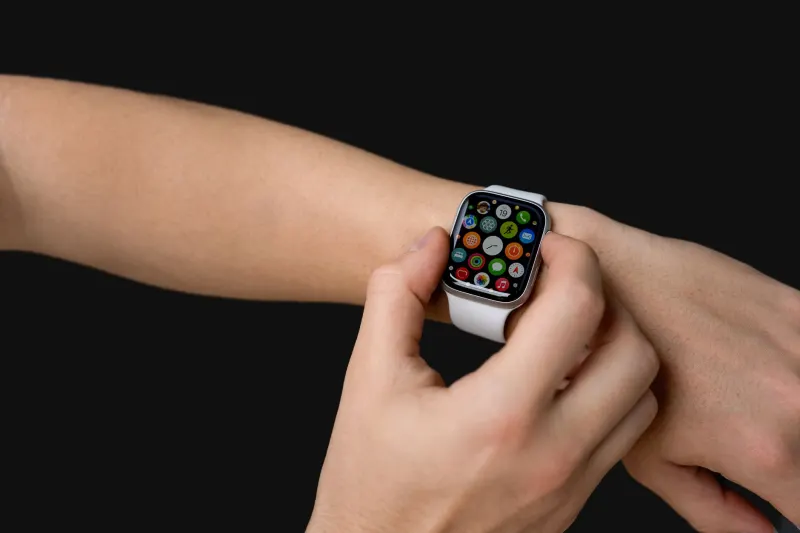
Upgrading to a new smartwatch often leaves your previous device sitting forgotten in a drawer. However, this hardware remains surprisingly versatile, meaning you can breathe new life into an older wearable with just a few minutes of setup and an extra app or two. Even if a smartwatch no longer receives major operating system updates, it can easily serve as a dedicated AI tool, a quick-access note-taking device, a child monitoring tool, a dedicated sleep tracker, or an item to sell for quick cash.
Key takeaways
- Your old smartwatch can be transformed into a dedicated AI voice assistant using Gemini or ChatGPT.
- You can use the wearable as a quick note-taking device powered by accurate AI transcriptions.
- Repurposing an old watch for sleep tracking lets you charge your main device overnight.
- Cellular-enabled models can be configured as kids' watches for calls, texts, and location sharing.
Turn your old smartwatch into an AI assistant or note-taker
For those who regularly utilize AI tools like Gemini or ChatGPT, an old smartwatch makes an ideal dedicated assistant device that eliminates the need to pull out a phone. On Wear OS watches running version 4 or later, users can enable Gemini by ensuring the app is updated and voice activation is enabled to respond to the "Hey Google" prompt. Alternatively, users can press and hold the side button. Samsung watch owners can customize their side button via Settings, while Apple Watch users can raise their wrist to invoke Siri or utilize third-party applications like Wrist AI for ChatGPT or Gemini functionality, though the free tier restricts daily chats and sideloading may be required for apps like WristAssist on Wear OS.
Beyond artificial intelligence, these wearables function exceptionally well as quick note-taking devices leveraging accurate AI transcriptions. Instead of reaching for a phone, users can simply raise their wrist and speak to record thoughts using preinstalled voice recorder or note apps. Apple Watch owners can prompt Siri to record a voice memo, while Samsung devices offer built-in speech-to-text transcription with a ten-minute limit. These recorded notes automatically sync across devices, ensuring they are waiting on a smartphone by the time a user returns home.
Track sleep, monitor children, or cash in
Sleep tracking is another practical use for an aging wearable, solving the common dilemma of overnight battery drainage. By wearing an old smartwatch to bed, users can leave their primary daily device charging overnight. Apple Watch users can set up tracking through the Health app on an iPhone, while Galaxy Watch owners can configure the feature via the Sleep tile. While sensor accuracy varies and results should never replace a doctor's diagnosis, it provides a convenient method for logging rest. Similarly, LTE-enabled models can find a second life on a child's wrist as a dedicated kids' watch, providing calls, texts, and location tracking without requiring a smartphone after initial setup. Samsung provides a Kids mode on LTE Galaxy Watch 6 models and above, while Apple offers Apple Watch for Your Kids on Series 4 or later with cellular, or an SE with cellular running watchOS 7 or later.
If none of these repurposing methods appeal to you, selling the old smartwatch remains a viable option to recoup some cash. Online marketplaces like eBay often yield higher payouts but require handling listings, photos, and shipping fees manually. Alternatively, buyback programs such as Greenbuyback offer greater convenience with online quotes and direct shipping, while retailers like Best Buy or manufacturer programs like Apple Trade In offer store credit or trade-in value. Before selling or trading in any device, users must ensure the watch is unpaired from their phone and completely wiped.



Comments