
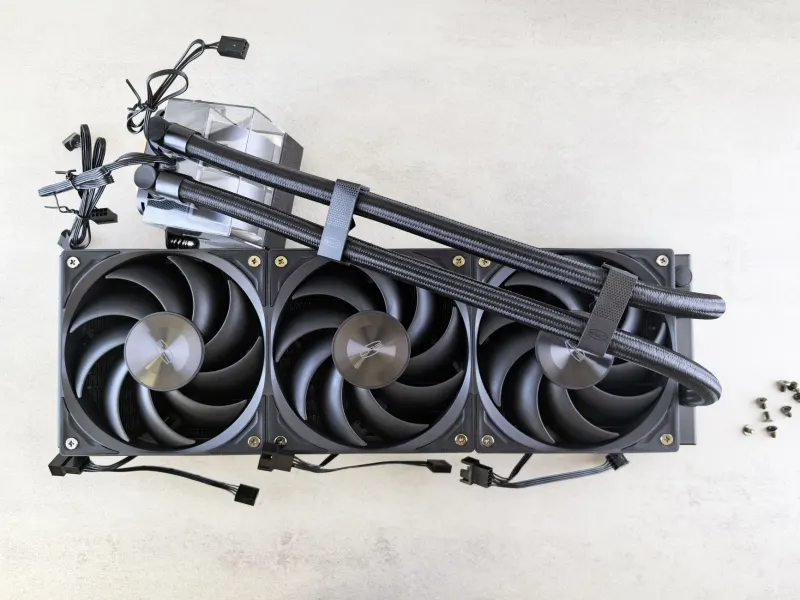
Liquid cooling remains a popular method for enthusiasts looking to manage temperatures in high-performance computer builds. In these setups, stored water is pumped around hot PC components, absorbs thermal energy, carries it back to a radiator, and dissipates it into the environment. While this approach effectively cools down a system, it demands regular maintenance, including the periodic replacement of the fluid. Mixing electronics with liquids introduces unique hurdles, requiring users to monitor their rigs for leaks, grime, general wear, and the age of the fluid itself. Coolant does not last forever, meaning that owners must actively manage and refresh their system supply to avoid hardware failure.
Key takeaways
- PC coolant does not last forever and requires regular replacement to prevent system damage.
- Corrosion inhibitors break down over time, which can eventually lead to internal component corrosion.
- Semi-transparent or colored coolants should be replaced every six months due to faster clogging.
- Standard coolant supplies without fancy additives generally need an annual replacement.
Why and how PC coolant degrades over time
The primary concern with aging coolant is not simply evaporation dwindling the supply, although excessive use will evaporate a little water if softer tubes are utilized. Instead, the main issue stems from the slow breakdown of the fluid under active thermal strain. Specifically, the corrosion inhibitor compound within the coolant is eaten away with time. Once that protective compound is depleted, the liquid begins to corrode the mechanical innards of the computer, threatening expensive hardware components.
Furthermore, coolant loses its lubricating qualities with prolonged use, which diminishes the function of the pump motor and other moving parts within the loop. Over time, the liquid can also start to develop algae and other particulates. This risk doubles if the liquid contains colorful pigments or other aesthetic additives, all of which ultimately lead to clogging, system slowdowns, and a blow to the rig's visual appeal.
When to replace your PC coolant supply
Users do not need to worry about a biological biome forming overnight, provided they maintain a consistent replacement schedule. Industry consensus suggests swapping out the coolant supply at least once a year, or potentially twice depending on usage conditions. Owners should strongly consider a replacement every six months if they are utilizing semi-transparent or heavily pigmented coolants, as those extra additives cause the liquid to clog up much faster.
For standard setups without specialized aesthetic liquids, chancing an annual replacement cycle is a reasonable approach. Nonetheless, builders should keep a close eye on their tubes, reservoir, and water blocks for tell-tale signs of degradation, chiefly murky colors, hazing, grime, or biological growth. Additionally, monitoring the operating temperature of the PC's CPU provides a reliable diagnostic indicator. A sharp and sustained spike in heat often signals that the coolant has exhausted its useful lifespan and requires an immediate flush and refill.





Comments