
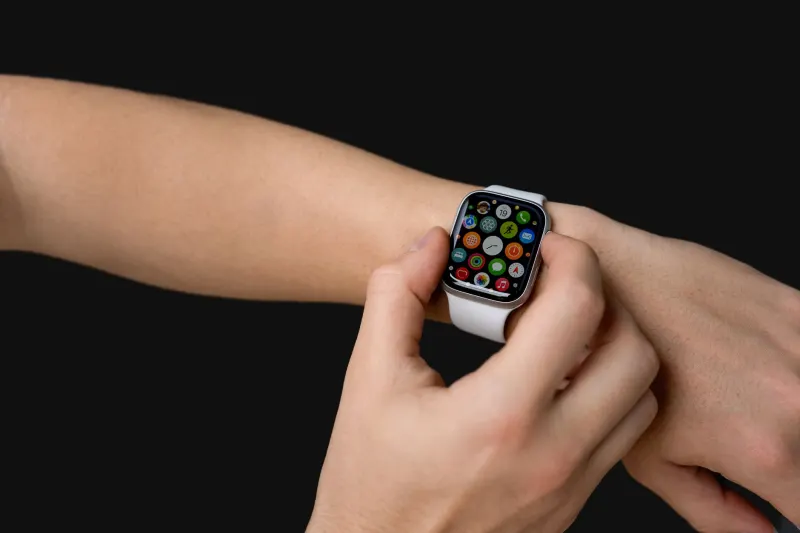
Smartwatches serve many purposes beyond simply telling time, ranging from comprehensive fitness tracking to quick notification checks. Many users spend hours in front of other clocks or their iPhones, placing visual time checks low on their priority lists. However, Apple includes a discreet feature that lets owners keep track of the time without looking at their screens, utilizing the Taptic Engine for haptic feedback. Known as Taptic Time, this setting communicates the hour and minute entirely through vibrations on the wrist.
For certain users, a visual check is simply not an option. The main beneficiaries of Taptic Time are visually impaired individuals who utilize the watch's accessibility options, allowing them to benefit from fitness tracking, music control, and smart home accessories without needing strong eyesight. Others might find the feature helpful during activities where checking a wrist is impractical, or simply to remain more mindful of the schedule throughout the day.
Key takeaways
- Taptic Time communicates the time through haptic feedback using the Apple Watch Taptic Engine.
- The feature includes three distinct configuration options: Digits, Terse, and Morse Code.
- The Digits mode is the most precise, using long taps for tens and short taps for ones.
- The primary beneficiaries of the setting are visually impaired users who rely on accessibility options.
Enabling and configuring Taptic Time
Turning on Taptic Time requires launching the Settings app directly on the Apple Watch, navigating to the Clock menu, selecting Taptic Time, and toggling the feature on. Once active, users can choose from three distinct modes: Digits, Terse, or Morse Code. Morse Code is likely best avoided by anyone who is not a nineteenth-century telegraph operator, while Terse mode utilizes long taps for five-hour blocks from midnight, short taps for additional hours, and long taps again for quarter-hour increments. Terse mode introduces a fifteen-minute margin of error that might not suit strict schedules.
The Digits option stands out as the most precise and intuitive choice available in the settings menu. It applies long taps for tens and short taps for ones to both hours and minutes. For instance, reading 10:09 via Digits involves feeling one long tap, a brief pause, and then nine short taps. For users with VoiceOver enabled, Taptic Time can also be triggered by double-tapping the watch face while the screen is inactive. Apple notes, however, that Taptic Time will not function if the watch is already configured to always speak the time aloud. Fixing this conflict requires visiting Settings, selecting Clock, and turning on Control With Silent Mode under Speak Time.
Practical utility and daily application
While the feature offers a clever alternative to visual checks, most users will likely find that Taptic Time is unnecessary for daily routines. Having the wrist vibrate repeatedly, even in fifteen-minute intervals, can prove bothersome, and modern Apple Watches feature strong motors that can produce startling alerts. For users with fully functional eyesight, Terse mode can serve as a less intrusive option for mindfulness, while specific hobbies or jobs that demand undivided attention and free hands might occasionally warrant keeping track of time haptically.





Comments