
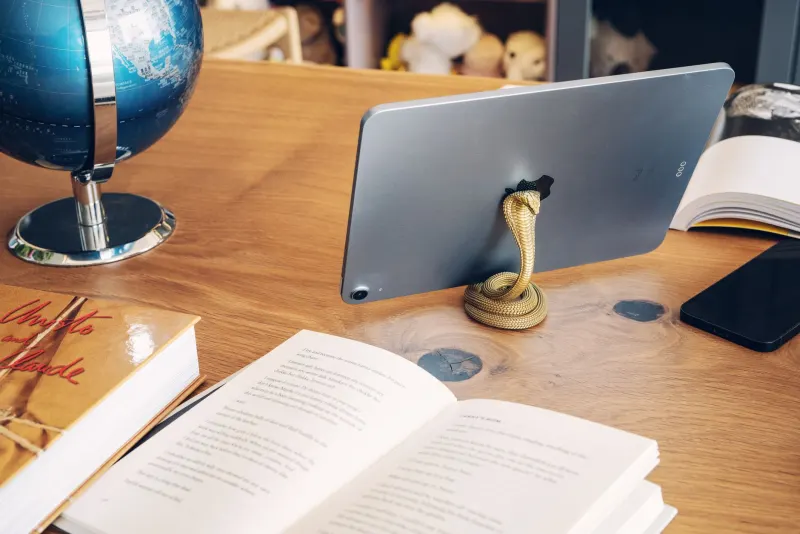
Old tablets often end up forgotten in drawers after users upgrade to newer hardware, but content creators can now breathe new life into these aging devices. Elgato offers a mobile application that transforms both iPads and Android tablets into virtual equivalents of its popular physical Stream Deck controllers. This software solution allows streamers on platforms like Twitch and YouTube to automate workflows, trigger shortcuts, and manage broadcasting essentials without purchasing dedicated physical macro pads.
For those unfamiliar with the ecosystem, a physical Stream Deck is a customizable controller featuring programmable buttons equipped with individual small screens. Elgato's software replicates this functionality on touchscreen mobile devices. Getting started requires downloading the official companion app on a computer running Windows 10 or macOS 10.15 and later, alongside the tablet application from the Apple App Store or Google Play. The app runs on operating systems as old as iPadOS 15 and Android 9, meaning most tablets launched in recent years can run it without issue.
Key takeaways
- The Elgato Stream Deck mobile app works with older operating systems starting from iPadOS 15 and Android 9.
- The free version provides up to six buttons, while Stream Deck Mobile Pro unlocks up to 64 buttons.
- Subscription pricing is set at $2.99 per month or $24.99 yearly, with a lifetime license available for $49.99.
- Apple users can connect their Mac and iPad over USB for lower latency and stability, while other setups require a shared local Wi-Fi network.
Pairing and Network Requirements
Users can initiate the pairing process by opening the device picker in the computer application's top-left corner and selecting the option to add a mobile device, which generates a QR code. Scanning this code with the tablet finalizes the setup in roughly five minutes. Both devices must share the same local network during wireless pairing, meaning it will not work if the tablet is connected strictly to a cellular 4G or 5G network.
If communication fails, troubleshooting steps involve checking computer firewall settings, adjusting antivirus software, or switching Windows network profiles from Public to Private. Notably, Apple users enjoy an added advantage since Mac and iPad devices can pair directly over a USB cable. This direct connection eliminates network dropouts, ensures a stable connection, and delivers lower latency when pressing buttons during a live broadcast.
Customization and Pricing Tiers
Once connected, streamers can drag and drop actions from the control panel directly onto empty virtual keys. The platform features native plugins for essential tools such as OBS Studio, Twitch, YouTube, and Spotify, alongside hardware integrations for smart lighting brands including Philips Hue, Nanoleaf, and Govee.
The free tier of the mobile app provides access to six customizable buttons and unlimited actions without a trial time limit, matching the button count of Elgato's physical Stream Deck Mini. Creators requiring more expansive layouts can upgrade to Stream Deck Mobile Pro, which expands the capacity to 64 buttons, surpassing even the layout of the Stream Deck + XL. Pro subscribers also gain access to customizable backgrounds and alternative grid configurations. iPad users can leverage iPadOS Split View to display two separate keypads side by side. Pricing for the Pro version spans $2.99 monthly or $24.99 annually, alongside a lifetime purchase option priced at $49.99.
To maintain a reliable workspace, streamers looking to utilize this setup should look for an inexpensive tablet stand so the screen remains constantly within sight. Keeping the tablet plugged into a power source prevents the battery from dying during a livestream, and users should configure their display settings to keep the screen active. On an iPad, the Auto-Lock feature can be set to Never under Display and Brightness settings, with a similar display option available on Android hardware.



Comments