
Performing a factory reset on a Vizio television can sometimes clear up software glitches, but understanding the proprietary Vizio OS and preparing your credentials beforehand will save you time and frustration. While Vizio TVs remain popular budget products in the United States thanks to Walmart's acquisition of the brand in 2024, their non-standard software interface can occasionally present unique navigational hurdles for users. Before diving straight into a full system wipe, owners should carefully weigh whether troubleshooting steps or a simple power cycle might resolve the underlying problem instead.
Key takeaways
- Walmart acquired Vizio in 2024, expanding its retail access across US stores.
- Vizio TVs run proprietary Vizio OS software rather than Roku, Fire TV, or Google TV.
- A factory reset requires entering a PIN, which defaults to 0000 if not changed.
- Resetting the television wipes all custom settings, app logins, and downloaded applications.
Step-by-step instructions for resetting your television
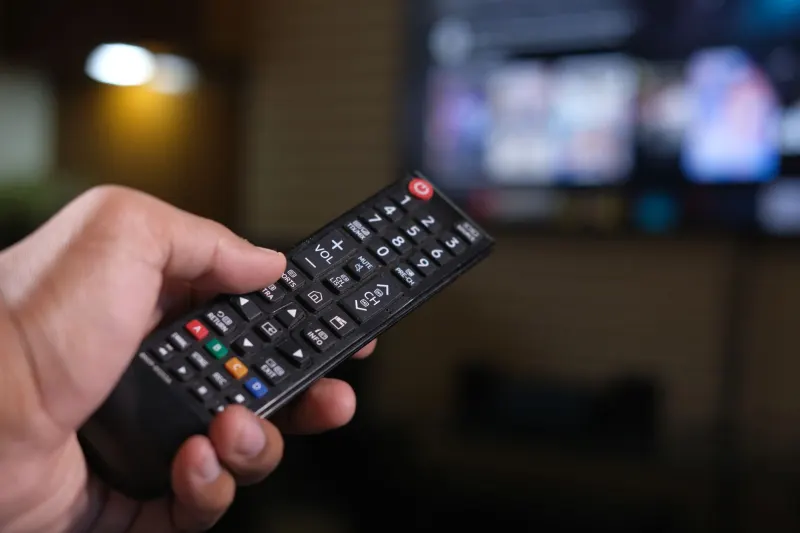
Before initiating a factory reset, make sure you have gathered and written down all of your account logins and passwords on paper or saved them inside a trusted password manager. Grab your remote control and press the Menu button, then select either the Gear or Settings icon displayed on the screen. Depending on the specific model of your Vizio TV, navigate through the menus to reach Admin and Privacy by selecting either Admin and Privacy followed by Reset to Factory Settings, System followed by Admin and Privacy and Reset to Factory Settings, or All Settings followed by Admin and Privacy and Reset to Factory Settings.
You will be prompted to enter your television security PIN. If you cannot remember ever setting a custom PIN, the factory default code is 0000. Click on Reset, and then press the OK button on your remote control to confirm the action. Wait patiently for your television to restart. Once the reboot process finishes, the device launches straight into the standard setup wizard. Follow the on-screen prompts, taking care to skip setting up Viewing Data, which is Vizio's automated content recognition feature that tracks on-screen content for advertising purposes across broadcasts and HDMI devices.
Why a factory reset should remain a last resort
Reverting your Vizio TV back to its original factory state strips away all personalized configurations, returning the device to the exact condition it was in when it shipped from the factory. Beyond losing personalized picture and audio calibrations, you will also forfeit your saved channel lineup, parental control configurations, and active account logins. Rebuilding your television environment requires redownloading applications, installing software updates, and re-establishing smart home integrations, meaning it can take significant time to get the device back to your preferred state.
Furthermore, a factory reset offers no absolute guarantee that it will resolve your specific technical problems. While wiping the system helps if issues stem from corrupted files or unintended setting changes, certain glitches are tied directly to hardware malfunctions or individual third-party applications. Because users cannot select specific software versions to install, you cannot roll back a faulty update. Consider attempting a basic power cycle first by turning off the TV, unplugging it from the wall for at least 30 seconds, and plugging it back in before committing to a full factory reset.



Comments