
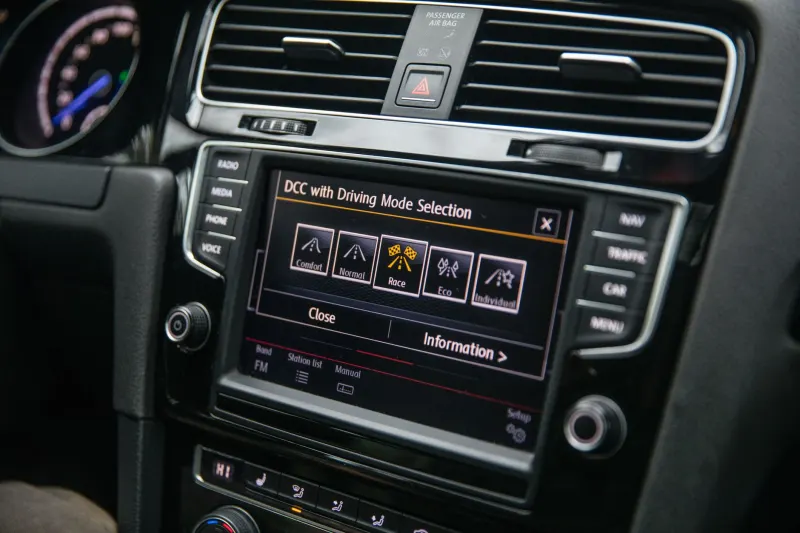
Apple has expanded the capabilities of its in-dash software platform by allowing users to watch videos on Apple CarPlay when parked. Traditionally limited to audio, messaging, and navigation applications, CarPlay now accommodates video streaming through native applications and AirPlay integration under specific hardware and software requirements. Because streaming video while driving poses a significant distraction, Apple designed the system to enforce strict safety limitations that ensure playback only functions while the vehicle is completely stopped.
CarPlay brings your iPhone apps directly to your car's dashboard. However, not every app gets a CarPlay version, as the ecosystem has historically been restricted to audio, messaging, and navigation tools. With the release of iOS 27, users can finally watch videos on CarPlay when they are parked. Even so, watching videos on CarPlay comes with certain limitations that extend beyond simply running the latest operating system software on an iPhone. Not all video apps currently support CarPlay, and the feature relies heavily on specific vehicle hardware capabilities to detect when the car is stopped.
Key takeaways
- iOS 27 brings native video playback support directly to Apple CarPlay.
- Vehicles must feature video-in-car technology to detect when the car is stopped.
- AirPlay allows streaming from iPhone apps even if they lack native CarPlay integration.
- Hardware prerequisites include a 1,920 x 1,080 pixel screen, HEVC codec support, and 4GB of memory.
Using Native Apps and AirPlay on CarPlay
Getting videos onto your vehicle's dashboard depends heavily on app compatibility and software versions. Right now, only a few video apps are compatible with CarPlay natively, meaning popular platforms like YouTube or Netflix do not support it natively just yet. If you have a compatible video app on your iPhone, you will see it directly on CarPlay's home screen. In that scenario, you can simply open the app to browse the video catalog without needing to find the video on your iPhone or stream it via AirPlay.
For apps that do not yet support CarPlay natively, users can leverage AirPlay. With your iPhone connected to CarPlay, you can open an AirPlay-compatible app like YouTube, start playing a video, look for the AirPlay button, and choose CarPlay from the list. You should then see the video on your car dashboard, with playback controls accessible on both your iPhone and CarPlay. When you start driving, CarPlay automatically switches to audio-only mode, so you can keep listening to the rest of a podcast or other audio stream. To bring the video back to your iPhone, tap the AirPlay button again and deselect your car.
Hardware and Software Requirements
Enabling video playback requires meeting strict technical specifications from both Apple and automotive manufacturers. Automakers need to add support for video apps, and many older car dashboards simply do not support it and probably never will. Apple requires CarPlay screens to be at least 1,920 x 1,080 pixels to play video. Furthermore, CarPlay systems need to support the HEVC codec and at least 4GB of memory, which older hardware systems may lack entirely. The bad news is that even Apple does not maintain a list of vehicles compatible with video apps on CarPlay, meaning drivers must find out for themselves whether their car is compatible.
On the mobile side, software must also be up to date. AirPlay to CarPlay requires iOS 26.4 or later, while native video apps are only available on iOS 27. If you have not updated your software, you can open your iPhone's Settings, go to General, and select Software Update to check whether any updates are available. iOS 27 is available for the iPhone 11 and later models, meaning most recent devices fully support the software requirements.
Workarounds for Incompatible Vehicles
If you have tried the steps above and still cannot watch videos in your car with CarPlay, it is most likely because your car lacks the necessary hardware. For drivers facing hardware limitations, third-party accessories provide an alternative path. Brands such as Carlinkit and Ottocast sell Android-based AI boxes for car dashboards. These external devices let you install Netflix, YouTube, or pretty much any other video app without needing to jailbreak your iPhone. However, users should be aware that these workarounds will also bypass the safety restrictions that limit video playback to when the vehicle is parked, and watching video while on the road can be highly distracting.






Comments