
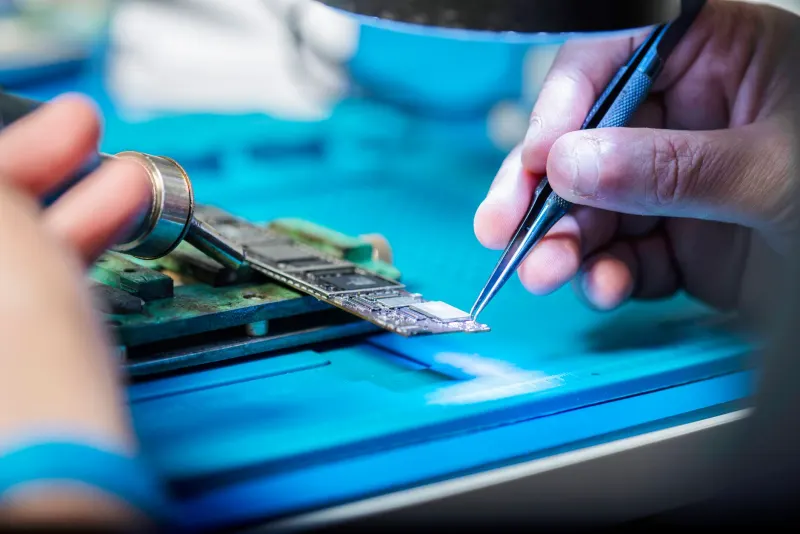
As the price of new computer components continues to rise with no immediate relief in sight, dealing with hardware failures can feel intimidating. When a crucial component like a motherboard begins to fail, understanding the warning signs can help you decide whether to attempt a repair or purchase a brand new unit. While a standard motherboard of decent quality can last up to a generous ten years, PC parts remain some of the most unpredictable hardware in the world. Recognizing the early indicators of board failure allows users to diagnose problems accurately and determine their next steps without unnecessary expenses.
Key takeaways
- Motherboards can last up to ten years, but component unpredictability may lead to eventual failure.
- Minor repairs like replacing bad capacitors or a dead CMOS battery cost less than a standard cup of coffee.
- Replacing an older motherboard can serve as a long-term hardware upgrade for your computer build.
Identifying Motherboard Decline and When to Replace
Hints pointing to the declining health of a motherboard are rarely subtle. A dying board often signals distress through a power-on self-test failure, known as a POST failure, which is what all motherboards execute when booting a PC to check component health. When a failure to POST comes with warning beeps or signals, users should be concerned. Furthermore, persistent issues reaching the operating system or experiencing random blue screens of death can indicate software problems or underlying board damage. Damaged capacitors, unruly thermal paste applications causing overheating, and failing RAM or PCIe slots can make a full-blown motherboard replacement your only viable choice.
Beyond fixing broken hardware, replacing a motherboard can come down to securing a beneficial long-term upgrade. If your board is aging, investing in an update can be useful. While high-end boards increase the total bill, users can find decent units of remarkable quality at surprisingly low prices. Even if an existing motherboard functions adequately, swapping it for newer hardware can deliver unexpected value to custom-built setups.
How to Handle Motherboard Repairs Yourself
Because motherboards comprise numerous parts communicating simultaneously, many individual components can malfunction. Capacitors supply voltage and current to specific sections of the board, and they can fail in various ways. Users with soldering skills and a multimeter to test for burned-out fuses or power coils can replace these parts independently. Similarly, if you accidentally bend pins on a CPU socket that features board-mounted pins, patience allows you to smooth them back into proper alignment.
Other minor fixes require very little effort and minimal investment. A failing CMOS battery can cause limited to severe issues, yet it takes only minutes to replace. Simple maintenance tasks like thorough cleaning or reapplying thermal paste to the CPU can also help, though improper execution can adversely impact the board. Because minor components like these often cost less than a standard cup of coffee, DIY repairs remain an appealing option for budget-conscious users facing manageable hardware glitches.





Comments