
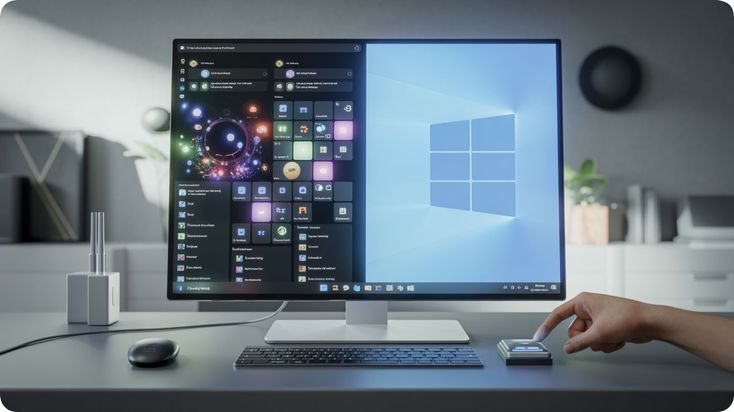
Microsoft has officially rolled out the Windows 11 July 2026 feature update, delivering one of the most comprehensive updates to the operating system this year. The release introduces a collection of new productivity tools, accessibility improvements, recovery enhancements, File Explorer refinements, Bluetooth reliability upgrades, and system stability improvements designed to make Windows more efficient and user-friendly. Rather than focusing on a single headline feature, the latest update enhances multiple parts of the operating system, creating a smoother experience for both home users and enterprise customers.
One of the standout additions is Point-in-Time Restore, a new recovery capability that allows users to restore their computers to an earlier system state more easily. Unlike traditional recovery options that can sometimes be complicated to configure, this feature simplifies system recovery after problematic updates, software installations, or unexpected system issues. By allowing users to roll back their devices with minimal effort, Microsoft aims to reduce downtime while improving overall system reliability.
Accessibility continues to receive significant attention in Windows 11. The July update introduces a new Screen Tint feature that helps reduce eye strain during extended computer usage. Users can customize display tint levels to create a more comfortable viewing experience, particularly during long work sessions or low-light conditions. This enhancement complements Microsoft's broader accessibility strategy, making Windows more comfortable for users with different visual preferences and requirements.
The Windows Magnifier has also been improved with more precise zoom controls. Users who rely on magnification for accessibility can now navigate documents, websites, and applications with greater accuracy and smoother scaling. These refinements improve usability while making Windows more inclusive for individuals with visual impairments.
Microsoft has redesigned the Widgets experience to reduce visual distractions while improving information delivery. The updated layout presents news, weather, calendar events, and other personalized content in a cleaner interface, allowing users to access important information without overwhelming the desktop. The simplified design aligns with Microsoft's ongoing effort to improve focus and productivity across Windows 11.
File Explorer also receives several practical improvements. Performance optimizations make folder navigation faster, while enhancements to the address bar improve navigation between directories. Microsoft has refined file renaming functionality and introduced several small usability improvements that collectively create a smoother file management experience. Although these changes may appear subtle individually, they significantly improve one of Windows' most frequently used applications.
Bluetooth connectivity has become more reliable in the latest release. Microsoft has resolved several issues affecting wireless headphones, earbuds, keyboards, and other Bluetooth devices. Users of popular accessories, including AirPods and Beats headphones, should experience more stable connections and fewer pairing interruptions after installing the update. Improved wireless performance contributes to a more dependable everyday computing experience.
Printing functionality has also been modernized through improvements to Windows Ready Print (IPP). The operating system now provides a more streamlined default printer configuration process while improving compatibility with modern network printers. Businesses and home users alike can expect fewer setup challenges when connecting new printing devices.
Network configuration has been refined as well. Microsoft has updated several networking and location settings to make them easier to understand and manage. Clearer interface layouts help users configure wireless connections, network preferences, and location permissions more efficiently while reducing confusion during system setup.
Laptop users benefit from expanded touchpad customization options included in the July update. Additional gesture controls and configuration settings provide greater flexibility for users who prefer navigating Windows without an external mouse. These improvements further enhance productivity on portable devices.
Phone integration continues evolving through updates to Phone Link, allowing Windows users to enjoy smoother communication between their computers and mobile devices. Notifications, messaging, file sharing, and cross-device productivity features have been refined to provide a more seamless connected experience.
Behind the scenes, Microsoft has implemented numerous performance and stability improvements throughout Windows 11. System responsiveness has been enhanced through optimization of core operating system components, resulting in smoother multitasking, faster application launches, and improved reliability during everyday use. These backend refinements may not always be visible, but they contribute significantly to the overall user experience.
Enterprise customers also benefit from the update through improved security and reliability. Microsoft continues strengthening Windows as a secure platform for business computing by delivering regular security enhancements alongside usability improvements. Organizations managing large fleets of Windows devices can deploy the update to improve both employee productivity and system stability.
Developers working on Windows receive additional benefits as Microsoft continues enhancing the platform through initiatives introduced during Build 2026. Improvements to Windows reliability, development tools, and platform stability support software engineers building applications for modern Windows environments.
Educational institutions are also expected to benefit from the latest release. Students and educators rely heavily on Windows laptops for learning, research, programming, and collaboration. Better accessibility features, improved performance, and stronger system stability contribute to a more dependable educational computing environment.
Industry analysts view the July 2026 update as another example of Microsoft's strategy of refining Windows through continuous improvements rather than relying solely on large annual releases. Instead of introducing disruptive interface changes, Microsoft is focusing on practical enhancements that improve daily productivity while maintaining a familiar user experience.
The latest Windows 11 update demonstrates Microsoft's continued commitment to making the operating system more reliable, accessible, and efficient. Features such as Point-in-Time Restore, Screen Tint, enhanced File Explorer, improved Bluetooth connectivity, redesigned Widgets, and refined accessibility tools collectively deliver meaningful improvements for millions of Windows users worldwide.
As Windows continues evolving to support artificial intelligence, hybrid work, cloud integration, and modern hardware, updates like the July 2026 release ensure that the operating system remains a strong foundation for productivity, creativity, and enterprise computing. By focusing on stability, usability, and accessibility, Microsoft is steadily shaping Windows 11 into a smarter and more dependable platform for the future.





Comments