
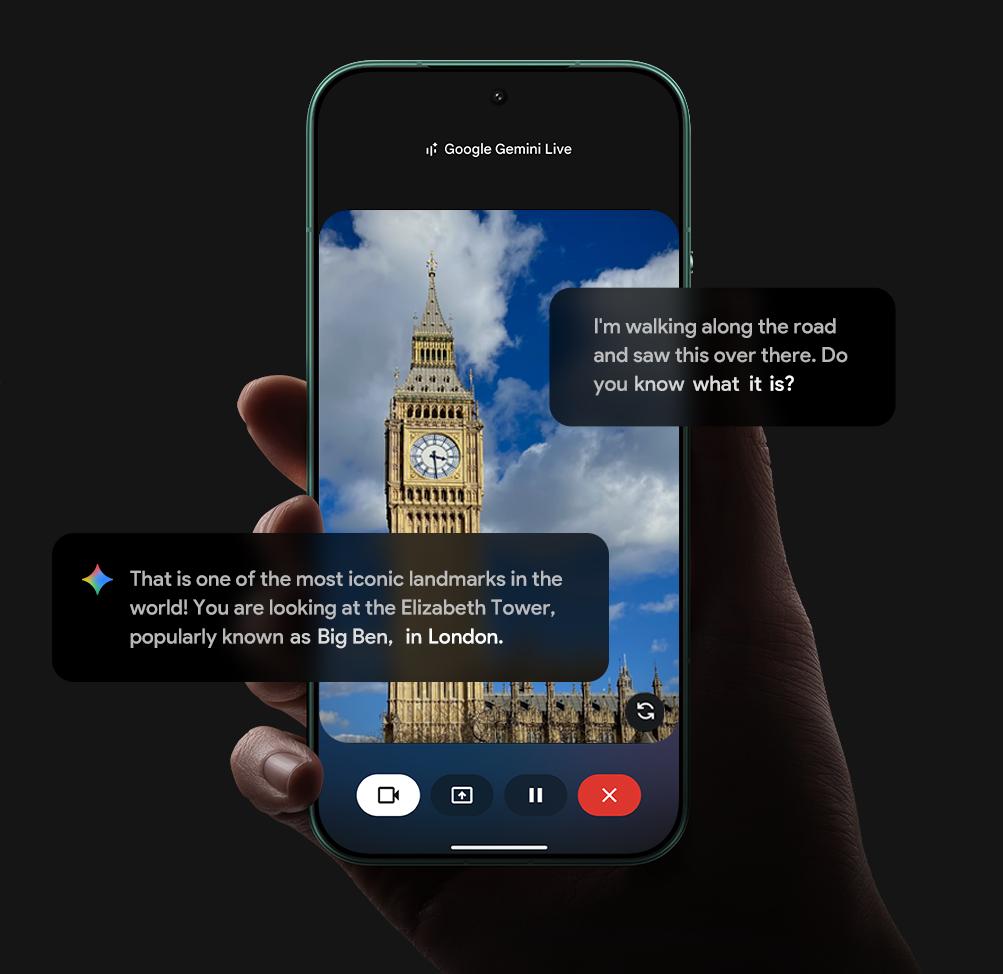
Google has introduced Guided Vision in Gemini Live, a new feature designed to provide real-time visual assistance through the phone's camera.
With Guided Vision, users can point their camera at something around them and have Gemini analyse what is visible while providing spoken guidance.
HOW DOES GUIDED VISION WORK?
Users can start Gemini Live and use the camera to show Gemini what they are looking at.
Gemini can analyse the visual information and respond conversationally, allowing users to ask questions about objects, surroundings or tasks.
The feature is designed to provide audio-based assistance while users continue interacting with their environment.
REAL-TIME VISUAL ASSISTANCE
Guided Vision can help users understand what is in front of them and provide contextual information based on what the camera sees.
For example, users can use the feature when they need help identifying something, understanding visual information or completing a task.
Gemini can provide spoken explanations instead of requiring users to constantly look at text on their phone.
REFRAMING AND CAMERA GUIDANCE
Google says Guided Vision can also provide reframing cues to help users adjust what the camera is showing.
This can make it easier for Gemini to understand the relevant part of a scene and provide more useful assistance.
DESIGNED WITH ACCESSIBILITY IN MIND
Google is positioning Guided Vision as an accessibility-focused feature that can provide additional visual assistance through audio.
The combination of camera understanding and conversational responses can make information in the surrounding environment easier to access for some users.
GEMINI LIVE BECOMES MORE INTERACTIVE
The feature builds on Gemini Live's existing conversational experience by adding real-time visual understanding.
Instead of simply asking Gemini questions through text or voice, users can now show the AI what they are looking at and continue a natural conversation about it.
Google says Guided Vision is rolling out to Gemini Live users, with availability depending on account and region.





Comments