
Ransomware Attacks Are Rising — Here's How to Protect Yourself
Ransomware has become one of
the most feared cyber threats of the modern era — and it's getting worse.
Hospitals have gone offline. Schools have lost years of data. Businesses have
paid millions. Here's what ransomware is and how to make sure it doesn't happen
to you.
What Is Ransomware?
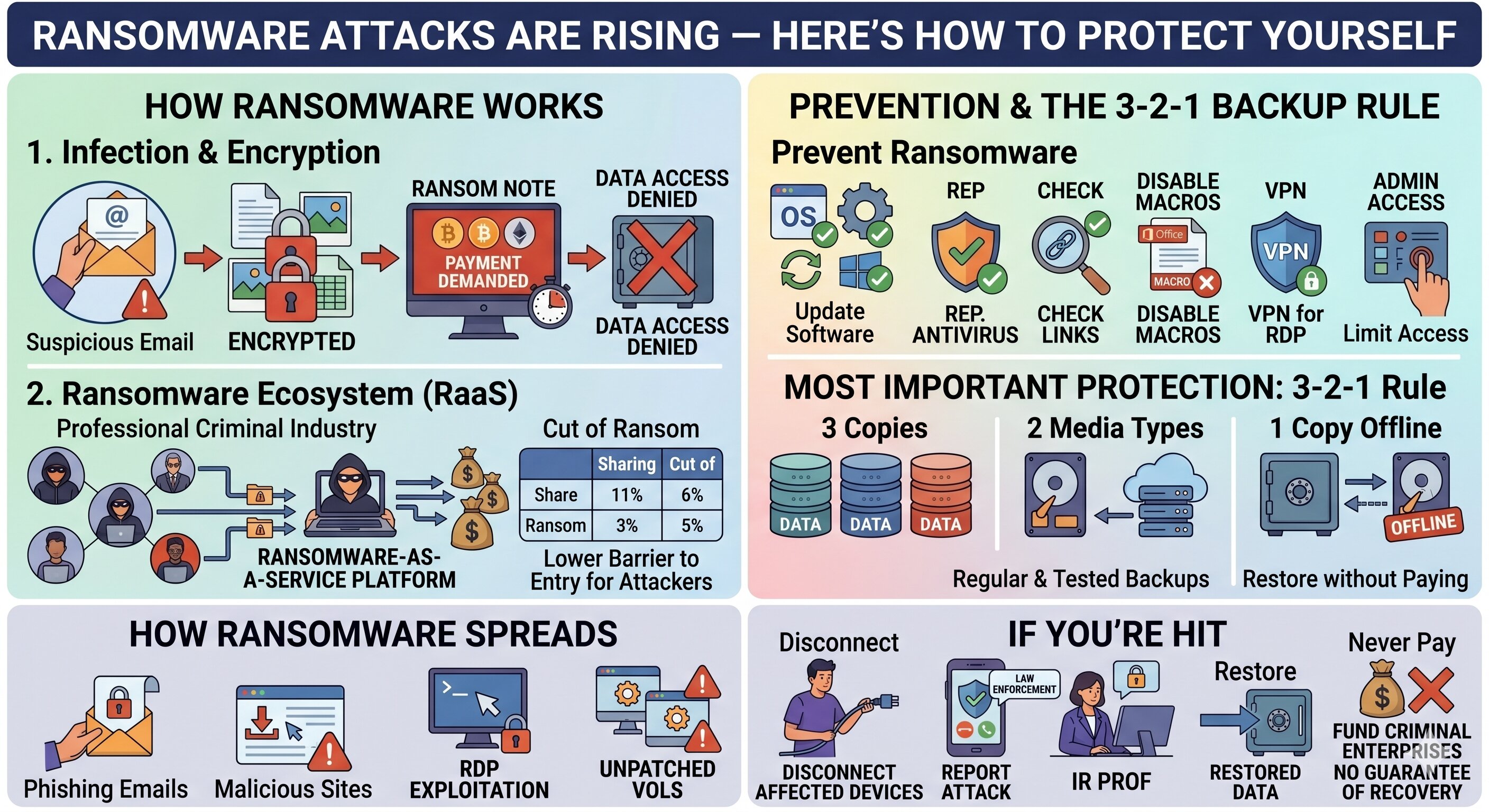
Ransomware is malicious software
that encrypts your files — making them completely inaccessible — and demands
payment (typically in cryptocurrency) in exchange for the decryption key. Even
if you pay, there's no guarantee your data will be restored.
How Does Ransomware Spread?
Phishing emails with malicious
attachments or links are the most common delivery method. Other vectors
include: malicious website downloads, unsecured remote desktop connections,
exploitation of unpatched software vulnerabilities, and infected USB drives or
external media.
The Ransomware Ecosystem
Ransomware has become a
professional criminal industry. Ransomware-as-a-Service (RaaS) platforms allow
non-technical criminals to deploy ransomware in exchange for a cut of the
ransom. This has dramatically lowered the barrier to entry for attackers.
How to Prevent Ransomware
Keep all software and operating
systems fully updated. Use reputable antivirus and anti-malware tools. Don't
click suspicious email attachments or links. Disable macros in Office documents
by default. Use a VPN for remote desktop connections. Limit who has
administrative access to systems.
The Most Important Protection: Backups
Regular, tested backups are your
best defense against ransomware. Follow the 3-2-1 rule: keep 3 copies of data,
on 2 different media types, with 1 copy stored offline (not connected to your
network). If you have clean backups, you can restore your systems without
paying the ransom.
If You're Hit by Ransomware
Disconnect affected devices from
the network immediately to stop the spread. Report the attack to law
enforcement — do not assume paying is the only option. Contact a cybersecurity
incident response professional. Restore from backups if available. Never pay
the ransom if you can avoid it — it funds criminal enterprises and doesn't
guarantee recovery.





Comments