
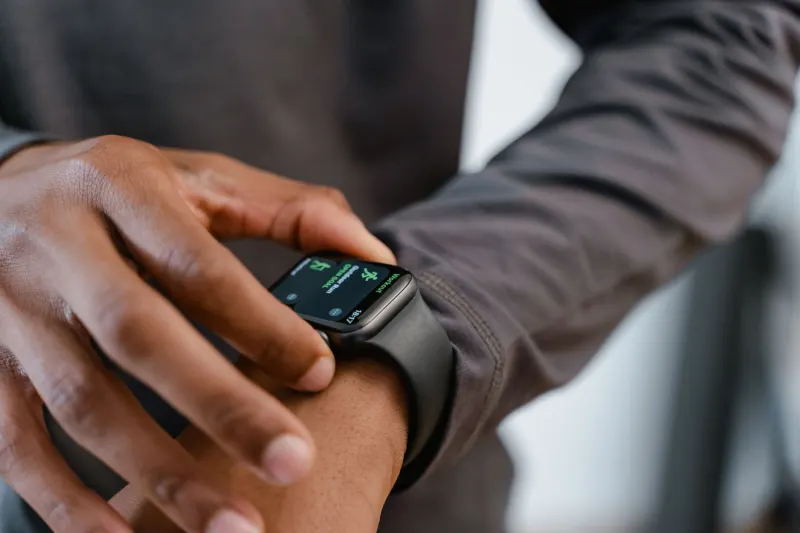
When your fitness tracker starts acting up, turning it off and on again is often the quickest and most effective way to resolve the problem. Regular restarts will not cause any harm to your device, functioning much like rebooting a lagging laptop or resetting a spotty internet router. There is no strict limit on how often you can safely power cycle the hardware, though keeping it running continuously is fine unless a malfunction or unexpected glitch occurs in your daily routine.
Owners do not need to perform regular reboots unless there is a clear, viable reason to do so. However, when issues arise, a simple power cycle can serve as a vital troubleshooting step to clear minor bugs without risking your personal statistics. It is vital to distinguish between a simple restart and a full factory reset. Restarting preserves all your tracked metrics and user data, whereas a reset wipes the device completely clean and restores it to its original factory state.
Key takeaways
- Regularly restarting your Fitbit will not cause any damage or wear to the device.
- A standard restart clears minor glitches without deleting your personal health statistics.
- A factory reset should only be used when selling the watch, giving it away, or handling severe persistent bugs.
- Different Fitbit models require distinct menu navigation or physical button combinations to reboot properly.
Troubleshooting sync failures and frozen screens
Common daily tech glitches can frequently be resolved with a quick power cycle rather than a complete factory wipe. Issues like failing to sync data to the Google Health app, missing step counts, inaccurate sleep tracking, or failing to show notifications and reminders can severely disrupt your fitness tracking routine. Even when a tracker encounters a blank display, a completely frozen touch interface, or an endless reboot loop after swimming in the saltwater ocean, a basic restart frequently restores normal operation.
Google explicitly warns users never to insert foreign objects into the small holes that some models feature for internal sensors like the microphone or altimeter. While some other consumer electronics brands utilize recessed reset buttons that require a paper clip or pin to press and hold, this design is not the case with Fitbit devices. If these troubleshooting efforts fail to resolve frequent malfunctions, users may need to investigate further or consider the possibility that the Fitbit hardware has reached the end of its operational lifespan.
Performing a reboot across different device models
The exact procedure required to restart a Fitbit depends heavily on the specific hardware generation you own. For modern smartwatches such as the Versa 4 and the Sense 2, users can navigate through the interface by heading to Settings, selecting About, tapping Shutdown, and confirming with Yes. Fitness bands like the Charge 5, the Charge 6, and the Inspire 3 require visiting Settings, choosing Restart Device, and confirming the prompt to initiate the reboot sequence.
Older hardware generations require alternative menu paths, such as navigating through Settings, About, and Reboot Device on the Charge 3 and Charge 4, or selecting Settings and Reboot Device on the Inspire 2. For newer models like the Fitbit Edge, users must long-press the side button for up to 10 seconds, then select Settings, System, and Restart. Meanwhile, screenless variants like the Fitbit Air demand that the unit be connected to a charging cable plugged into a power outlet, followed by pressing and holding the back button for about 10 seconds until a side light flashes white.
If a device is completely frozen and unresponsive, preventing you from navigating the regular Settings menu, specialized hard reboot methods are available. For the Charge 5 and Charge 6, users must connect the tracker to the charging cable and press the button on the flat end three times in rapid succession, then wait 10 seconds for the Fitbit logo to appear on the screen. With the Inspire 3, you plug it in, press and hold its buttons for 10 seconds, release them, and wait for the unit to vibrate and display the Fitbit logo. Smartwatch owners can accomplish a similar force reboot by pressing and holding the physical side button for 10 seconds.



Comments