

Purchasing a new laptop today almost certainly guarantees the inclusion of a specialized silicon block known as an NPU, or Neural Processing Unit. While these chips are quickly becoming a standard inclusion in mid-range and premium portable computers, the vast majority of owners are not actively utilizing them in daily computing tasks. According to advisory firm Gartner, AI-capable PCs equipped with these dedicated processors now account for more than half of total global shipments. This hardware saturation stems primarily from industry certification standards established by Microsoft in 2024, which mandated a minimum threshold of 40 TOPS of dedicated NPU performance for machines seeking full access to advanced Windows AI features, rather than immediate organic consumer demand.
Key takeaways
- NPUs run artificial intelligence workloads using roughly 2 watts of power, compared to over 100 watts for discrete graphics cards.
- Microsoft required new laptops to feature a 40 TOPS NPU, 16GB of RAM, and 256GB of storage for Copilot+ PC certification.
- Current software utilizing the NPU is limited to tools like Windows Studio Effects, local search, and noise suppression.
- Major chipmakers including Qualcomm, Intel, and AMD have quickly surpassed the minimum 40 TOPS requirement in recent processor lineups.
Understanding neural processing hardware
The primary function of an NPU is to accelerate AI inference, which represents the execution phase of a trained model rather than the intensive training phase handled by graphics processing units. Neural networks rely heavily on matrix multiplication and nonlinear activation functions, operations that NPUs are purpose-built to perform rapidly and efficiently. This specialization achieves significant power savings, running AI tasks at a fraction of the energy required by a standard CPU or GPU. For everyday applications like background blur on video calls, an NPU allows the feature to run continuously without severely draining battery life, generating excessive heat, or spinning up internal cooling fans.
Despite these efficiency gains, NPUs are not universal solutions for all computing demands. They lack the architecture required to train artificial intelligence models, and running large local large language models still necessitates a discrete graphics card equipped with substantial video memory. Furthermore, cloud-based services like ChatGPT and Gemini execute entirely on external provider infrastructure. Consequently, the actual use cases for onboard NPUs are currently restricted to a small selection of always-on, low-power tasks, including webcam effects, real-time translation, noise suppression, and local search indexing.
Industry adoption and hardware specifications
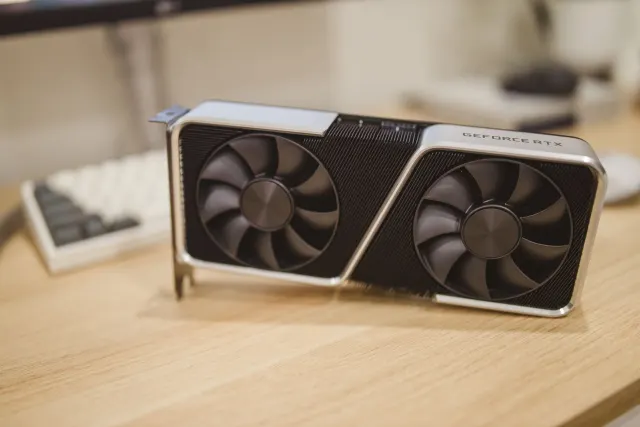
The rapid proliferation of NPU hardware across the market is a direct result of Microsoft's stringent Copilot+ PC certification requirements. To qualify, manufacturers must integrate an NPU capable of delivering at least 40 TOPS—a measure of how quickly the processor handles AI math. Crucially, this performance metric must originate from the NPU itself rather than a discrete graphics card. For instance, a mid-range laptop equipped with an NVIDIA RTX 4050 can deliver more than 190 TOPS from its tensor cores, but that output does not satisfy the specific certification criteria.
Chip designers responded swiftly to these industry mandates. Qualcomm introduced the first wave of qualifying hardware with its Snapdragon X Elite and Plus chips featuring a 45 TOPS Hexagon NPU. Intel followed with Lunar Lake offering up to 48 TOPS, while AMD released the Ryzen AI 300 series reaching 50 TOPS. Intel's subsequent Panther Lake processors, marketed as Core Ultra Series 3, feature a 50 NPU TOPS configuration built on the 18A manufacturing process. Qualcomm later pushed boundaries further by introducing the Snapdragon X2 Elite, which delivers up to 85 TOPS. Manufacturers are even pushing enterprise-grade NPU hardware into heavy-duty workstations like the Dell Pro Max Plus.
Current software landscape and real-world utilization
Despite the rapid escalation of hardware capabilities, the selection of consumer applications that natively lean on the NPU remains remarkably short. Current software support is largely confined to Windows Studio Effects, Live Captions, Recall, Click to Do, background noise suppression in communication apps like Teams and Zoom, and a limited set of features within Adobe Creative Cloud. For everyday users monitoring their system performance through Windows 11 Task Manager, NPU utilization rates on casual machines generally hover around zero percent.
Testing local open-source models demonstrates the exact engineering purpose of the hardware. Running a model like Mistral 7B via the Intel OpenVINO toolkit on a 34 TOPS platform—which allocates 11 TOPS specifically to the NPU—pegs the neural processing unit near maximum capacity while keeping general CPU usage minimal. The system remains fast and responsive during text generation. However, achieving this efficiency outside of pre-optimized Microsoft features often requires specific technical toolkits and specialized knowledge, as mainstream third-party software catches up to the sudden influx of ubiquitous neural processing hardware.


Comments