
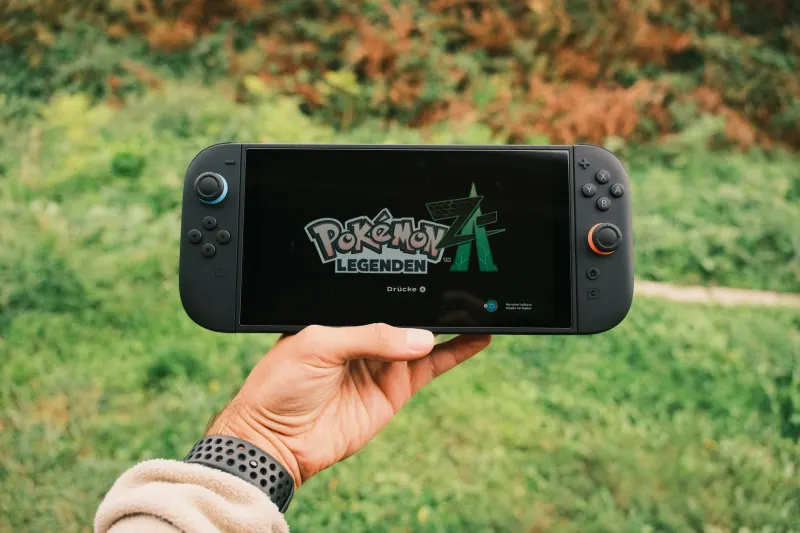
When Nintendo released the Switch 2, the company successfully delivered a modern portable console capable of comfortably handling demanding games. However, greater processing power introduces a major hardware tradeoff: significantly reduced battery life. Nintendo estimates that players can expect between 2 and 6.5 hours of battery life on a full charge in handheld or tabletop mode, though this runtime varies wildly depending on your console settings and the specific game titles you are playing.
Processor-intensive 3D games push the hardware much harder than titles on the original Switch. If you run massive open-world titles away from the dock, your battery life will inevitably slide toward the lower end of Nintendo's quoted range. Fortunately, users can adjust several system settings and gaming habits to maximize battery performance when an outlet or power bank is out of reach.
Key takeaways
- Nintendo Switch 2 battery life ranges from 2 to 6.5 hours on a full charge.
- Lowering screen brightness and turning off Wi-Fi or Bluetooth helps save juice.
- Disabling 120Hz refresh rates and HDR can reduce power consumption.
- Docked users can enable a 90 percent charge limit to protect long-term health.
Adjust Display Settings and Wireless Connectivity
One of the fastest ways to claw back battery life is dropping your screen brightness. Unless you are playing in a brightly lit environment, keeping the slider maxed out drains the battery rapidly. Users can easily adjust brightness by pressing and holding the Home button to access the Quick Settings menu, or by navigating directly to System Settings and Screen Brightness.
Wireless features also consume unexpected power. If you are playing offline, enabling Airplane Mode stops the console from constantly scanning for Wi-Fi networks. Players can customize these settings to keep Bluetooth active for wireless headphones while disabling features like NFC and general network discovery.
Manage Performance Options and Hardware Features
Nintendo's HD Rumble 2 technology adds immersive feedback, but those motors draw noticeable power. Disabling controller vibration via System Settings will extend your playtime without hurting your gaming experience. Similarly, turning down the volume when playing without headphones helps conserve energy.
Users can also toggle off demanding display options like the native 120Hz refresh rate and HDR output. Since very few games currently support 120 frames per second and the handheld screen does not get bright enough for true HDR, disabling these features preserves battery with minimal visual impact.
Protect Long-Term Battery Health
For players who primarily keep their console docked, the Switch 2 includes a helpful battery optimization setting that caps charging at 90 percent. Keeping a lithium-ion battery at 100 percent charge for long periods accelerates degradation, making this toggle ideal for stationary users. Portable players who rely heavily on handheld mode can turn the cap off to ensure maximum power before a trip, while saving graphically intensive titles for the dock whenever possible.


Comments