
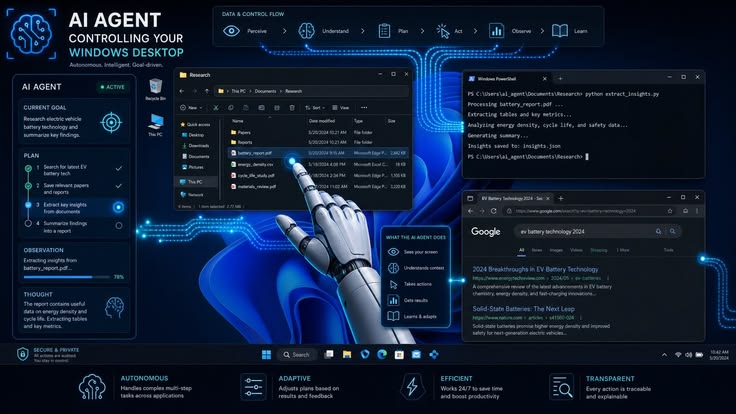
Microsoft has officially released Visual Studio Code 1.124, delivering one of the most significant AI-focused updates in the editor's history. The latest version introduces a smarter Autopilot mode, improved AI agent workflows, enhanced session management, larger context windows, and better collaboration between developers and GitHub Copilot. Rather than simply generating code suggestions, VS Code is evolving into an intelligent development platform capable of understanding long-running projects, managing complex coding tasks, and assisting developers throughout the entire software development lifecycle. The update reflects Microsoft's continued investment in agentic AI as the future of software engineering.
Visual Studio Code remains one of the world's most widely used code editors, supporting millions of developers working across web development, cloud computing, artificial intelligence, mobile applications, and enterprise software. While previous releases focused on code completion and conversational AI, version 1.124 shifts toward intelligent software agents capable of completing larger tasks with less manual supervision.
One of the headline features is the enhanced Autopilot capability. Instead of waiting for continuous developer input, Autopilot now determines more accurately when assigned programming tasks have been completed. It can continue working through multi-step implementation processes, evaluate intermediate results, and stop only after successfully finishing the requested objective. This reduces unnecessary interruptions while making AI assistance feel more like collaborating with another software engineer than interacting with a traditional chatbot.
The update also expands agent session management. Developers frequently switch between multiple projects, repositories, and coding tasks throughout the day. VS Code 1.124 improves how AI agents preserve conversation history, synchronize development context, and resume previous work across sessions. Engineers can return to earlier tasks without repeatedly explaining project details, allowing AI agents to maintain continuity over longer development cycles.
Another major enhancement involves large context windows. Modern software projects often contain thousands of source files spread across multiple modules and services. VS Code now supports AI models capable of processing context windows of up to one million tokens, allowing compatible language models to analyze substantially larger portions of a codebase in a single interaction. This enables developers to request architectural guidance, perform large-scale refactoring, and generate more consistent implementations without manually splitting projects into smaller pieces.
AI agents have also become more effective at handling repository-wide development tasks. Instead of focusing only on the currently open file, the updated editor understands relationships between project components, dependencies, configuration files, and application architecture. This broader understanding allows Copilot to recommend code changes that align more closely with existing development patterns while reducing inconsistencies.
Developers working on cloud-native applications are expected to benefit significantly from these improvements. Modern software projects often combine Docker containers, Kubernetes deployments, cloud infrastructure, APIs, databases, and microservices. Larger context windows allow AI agents to understand these interconnected systems more effectively, generating deployment configurations, infrastructure scripts, and application code that remain consistent across the entire project.
Session synchronization has also been improved for developers working across multiple devices. AI conversation history can now follow developers between different machines, making it easier to continue ongoing projects without losing previous discussions or implementation decisions. This feature is particularly valuable for distributed engineering teams operating in hybrid work environments.
Microsoft has continued strengthening support for agent-first development workflows. The updated Agents interface enables developers to manage multiple AI-assisted coding sessions simultaneously while monitoring ongoing work across different repositories. Rather than treating AI as a single chat window, VS Code increasingly functions as a control center where multiple intelligent agents collaborate on different aspects of software development.
Security and reliability have also received attention. Improved sandbox handling ensures that AI-generated commands interacting with external resources execute more safely, while enhanced retry mechanisms help agents recover from temporary failures during long-running operations. These changes improve the stability of automated development workflows without sacrificing developer oversight.
Software testing benefits from the expanded AI capabilities as well. Developers can ask agents to generate unit tests, identify missing test coverage, analyze failed test cases, and recommend improvements based on a much larger understanding of application behavior. This helps engineering teams improve software quality while reducing repetitive manual work.
Enterprise organizations are expected to adopt these capabilities rapidly. Large software companies managing complex repositories require AI systems capable of understanding organizational coding standards, architectural patterns, and long-term project history. Larger context windows and improved project awareness make VS Code better suited for enterprise-scale software engineering than earlier generations of AI coding assistants.
The update also improves developer productivity during code reviews. AI agents can summarize changes across multiple files, explain implementation decisions, identify potential issues, and recommend optimizations before code reaches production. These features streamline collaboration while allowing senior engineers to focus on architectural guidance instead of repetitive review tasks.
Educational institutions and programming students also stand to benefit. Learners working on large programming assignments can receive contextual explanations spanning entire projects instead of isolated files. This helps students better understand software architecture, design patterns, and code organization while learning modern development practices.
Industry analysts believe software development is entering an era of agentic engineering, where developers increasingly assign objectives rather than writing every line of code manually. Instead of replacing programmers, AI agents automate repetitive implementation work while allowing engineers to concentrate on system design, problem-solving, security, and business requirements.
Competition within AI-powered development environments continues accelerating as GitHub Copilot, JetBrains AI Assistant, Google Gemini Code Assist, Amazon Q Developer, and other platforms introduce increasingly autonomous coding capabilities. Microsoft's latest VS Code release demonstrates its strategy of making AI agents a native part of everyday software engineering rather than optional add-ons.
With intelligent Autopilot mode, million-token context support, enhanced AI agents, improved session synchronization, repository-wide understanding, stronger cloud-native development capabilities, and deeper GitHub Copilot integration, Visual Studio Code 1.124 represents one of Microsoft's most important developer tool releases of the year. As AI-assisted programming continues evolving, VS Code is positioning itself as a comprehensive development platform where human developers and intelligent software agents collaborate to build increasingly sophisticated applications more efficiently than ever before.





Comments