
Password Managers: Are They Safe to Use?
If you've been told to use a
unique, strong password for every account but have no idea how to remember
dozens of them, password managers are the answer. But are they safe? Let's look
at how they work and why most security experts trust them.
What Is a Password Manager?
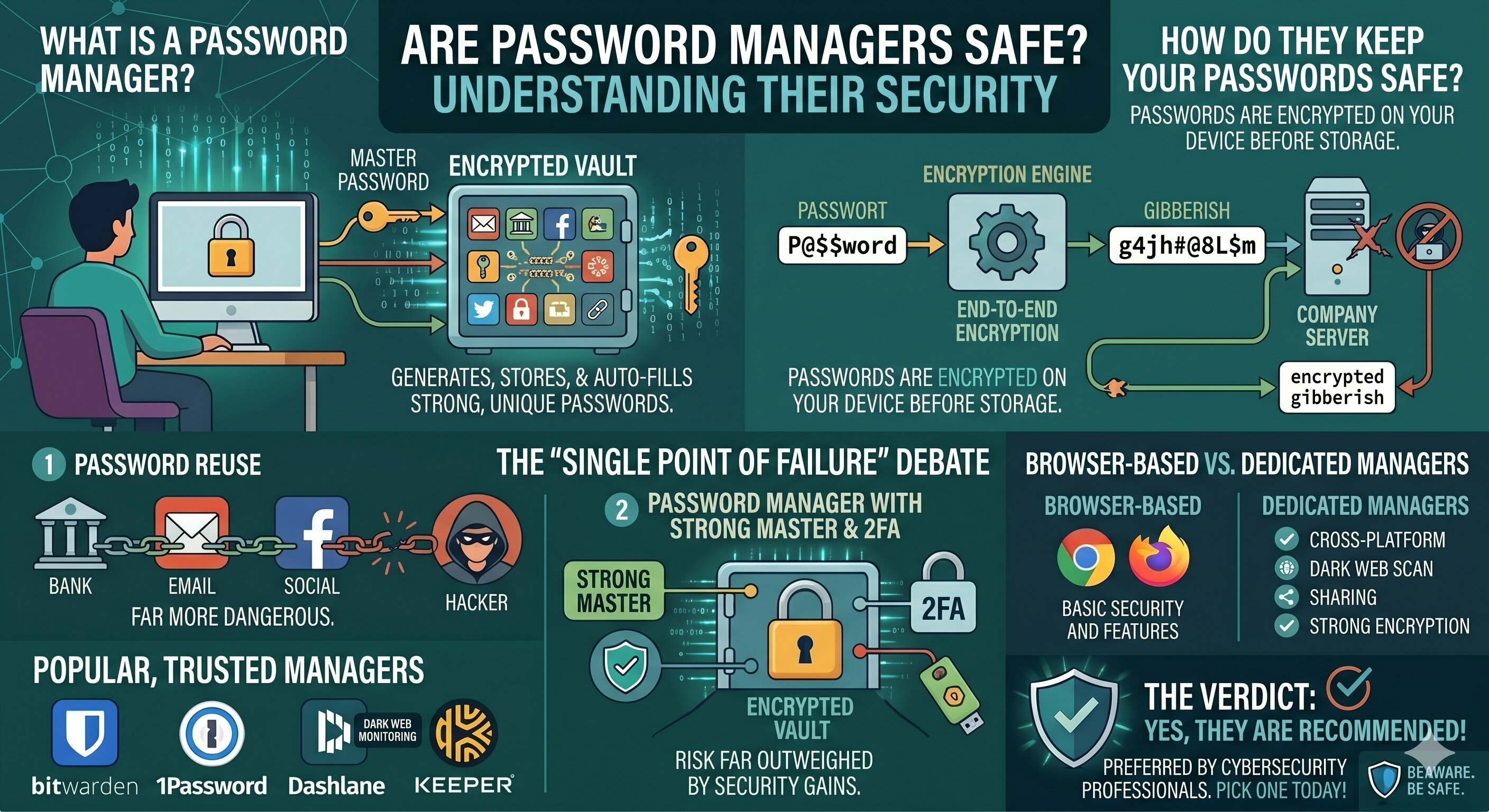
A password manager is an app
that securely stores all your passwords in an encrypted vault. You only need to
remember one master password to unlock it. The manager generates, stores, and
auto-fills strong, unique passwords for all your accounts.
How Do They Keep Your Passwords Safe?
Reputable password managers use
end-to-end encryption — meaning your passwords are encrypted on your device
before they ever reach the company's servers. Even if the company is hacked,
the attackers only see encrypted gibberish they can't use.
Aren't They a Single Point of Failure?
This is the most common concern.
If someone gets your master password, they get everything. However, this risk
is far outweighed by the alternative — reusing weak passwords across dozens of
sites, which is far more dangerous.
With a strong master password
and 2FA enabled on the manager itself, the risk is minimal.
Popular Password Managers
Bitwarden — Open-source, free,
and highly trusted. 1Password — Excellent for families and teams. Dashlane —
User-friendly with built-in dark web monitoring. Keeper — Strong enterprise
features.
All of the above are
well-regarded in the cybersecurity community.
What About Browser-Based Password Saving?
Browsers like Chrome and Firefox
offer built-in password saving. It's convenient and better than nothing — but
dedicated password managers offer stronger encryption, better cross-platform
support, and more features.
The Verdict
Yes, password managers are safe
— and they're strongly recommended by cybersecurity professionals. The small
risk of a single point of failure is far less dangerous than the widespread
habit of password reuse. Pick one and start using it today.





Comments